
Did you know that iPhones, by default on iPhones since the IOS 11, save files in the .HEIC format? I sure as heck didn't as it is a file format that I wasn't familiar with and is not supported by any Android device natively that I'm aware of.
High Efficiency Image Container (.HEIC) files take up roughly half the storage space of standard JPEGs while keeping the same or better image quality (including support for 16-bit color and depth data). The downside is that it is not very well supported
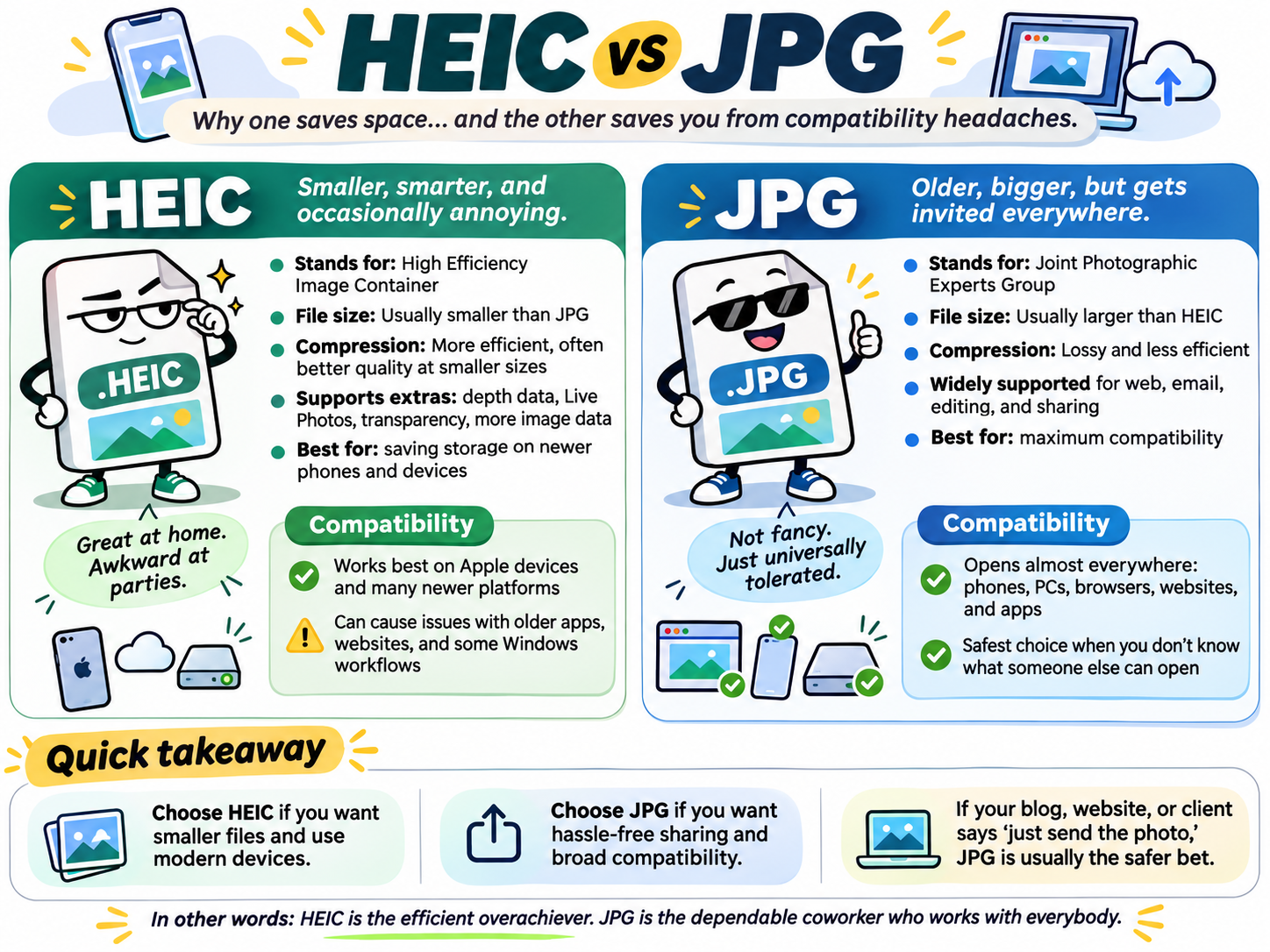
While trying to implement a simple way to manage galleries in Vanilla Gorilla based websites using Go To Gorilla, I had to jump through some hoops to get images to upload properly from iPhones. While you can run upload this file format from an iPhone using the downloaded PWA verision of Go To Gorilla or the web version, GTG will refuse the file format.
The choice in front of me was to either add 3rd party conversion software and/or bloat GTG by writing custom code for this, I think for now the course of action will be to provide customers with a few ways to easily convert files from .HEIC to .JPG so they can be easily uploaded.
If you prefer standard JPEGs for better compatibility with non-Apple devices, Windows computers, or web uploads, you can change the default setting:
- Open Settings on your iPhone.
- Tap Camera.
- Tap Formats.
- Select Most Compatible instead of High Efficiency.
However, changing the way your phone works is a very personal decision and I'm sure not many would choose that. Another way to do this would be to download all the images from the photo app and then do a bulk conversion. I did this (from a Google Photos album) and after converting a number of them using ChatGPT < 20 files at a time, I opted instead to use Claude to program a script to go through all the files that hadn't been converted yet (since I was looking at 270+ files).
The prompt for this was as follows:
If you look in the "./SOURCEDIRECTORY/" folder you will find a number of .heic and .mp4 files. If you look in the "./TARGETDIRECTDORY/" folder, you will see 70 images that have already been converted (and renamed with -web appended to the file name). I would like you to convert the remaining .heic files that have NOT already been converted into the jpg format suitable for using on a website gallery and add the conversion copy of the file into the "./TARGETDIRECTORY/" folder. If you want to get the image dimensions and depth used on previous conversion, go ahead and look at a file in the "./TARGETDIRECTORY/" folder to get that information..
The cost of this was quite reasonable as it created a script that ran on my computer rather than uploading the files to Anthropic and then converting. Creating the script cost about $1.42 and running it and doing the conversion cost nothing.
Supposedly when you share photos via Mail, Messages, or AirDrop to supported devices, your iPhone often converts them automatically to ensure they open without issues. However, not having an iPhone I was unable to test this theory.
The journey to make it easier to manage images into a gallery from a phone continue and will make for a post for another day.
Stay shiny friends.