
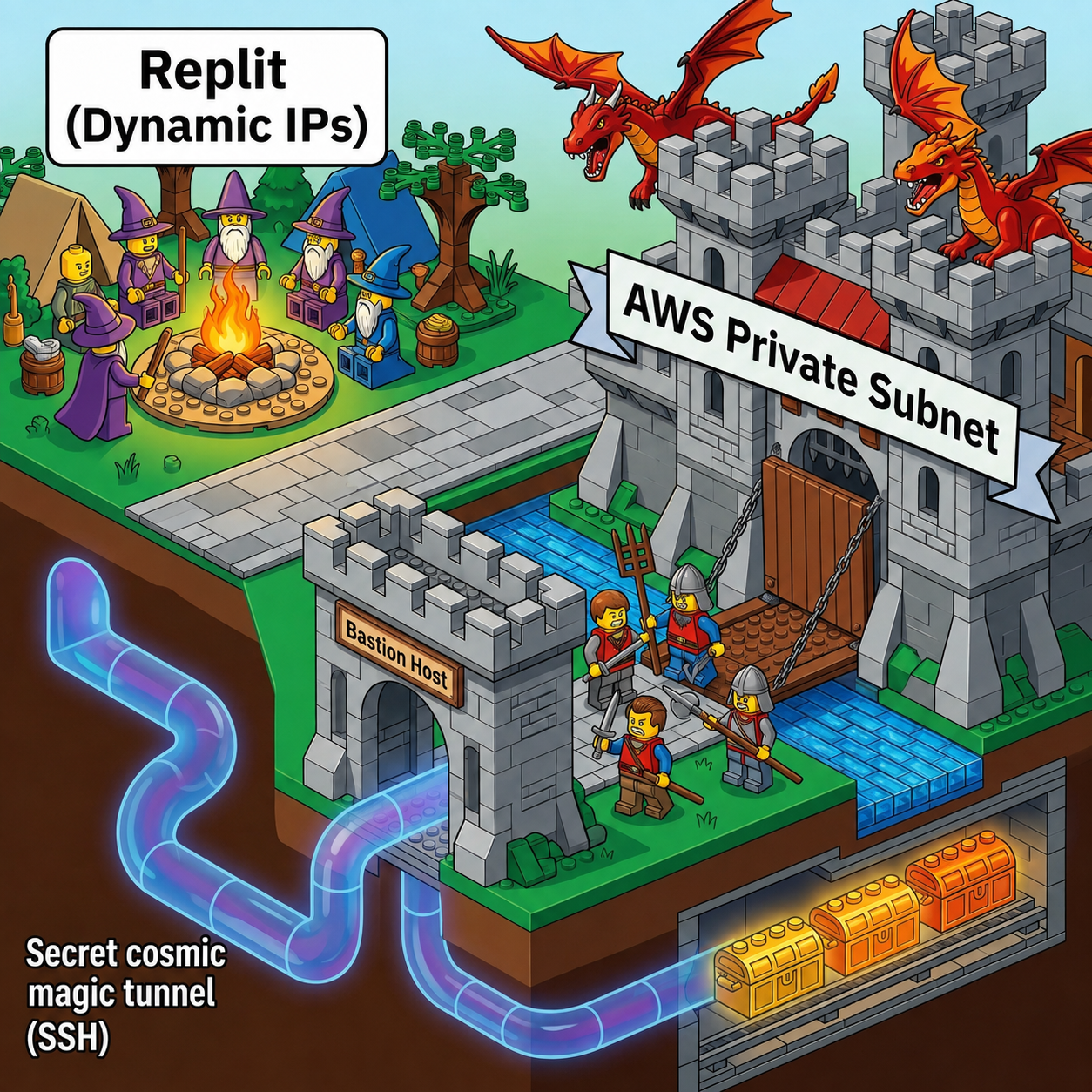
Modern cloud platforms like Replit, Vercel, and serverless container runtimes have revolutionized application deployment. You write code, hit deploy, and your service scales automatically across ephemeral cloud infrastructure.
However, this flexibility comes with a classic architectural headache: the Egress IP Lottery. Every time your container boots, restarts, or relocates, it inherits a completely unpredictable IP address from a massive cloud pool.
If your database lives inside an AWS VPC in a private subnet—behind strict Security Groups that reject traffic from the outside world—you face a dilemma:
- Option A (The Dangerous Way): Open your database port (
3306,5432,1433) to0.0.0.0/0so dynamic IPs can connect. (Please don't do this unless you enjoy security incident retrospectives). - Option B (The Fragile Way): Continually update AWS Security Group rules with hundreds of dynamic PaaS CIDR blocks.
- Option C (The Architect's Way): Deploy an SSH Bastion Host in a public subnet and let your application programmatically open a local SSH tunnel before initializing the database connection.
Option C is the clear winner for zero-trust security. In this post, we will look at how to implement an automated, zero-leak SSH tunnel in Node.js/TypeScript that makes a private AWS database feel like localhost to your application code.
The Architecture
Before diving into code, let's look at how the request flows:
- Application Launch: When your Replit or Node.js server boots up, it reads base64-encoded SSH tunnel secrets from environment variables.
- Programmatic Tunnel Setup: The app initializes a local socket listener on
127.0.0.1:5433(or any local port) and connects via SSH (port 22) to an AWS Bastion Host located in a public VPC subnet. - Traffic Forwarding: The Bastion Host accepts the SSH connection and forwards local socket traffic across the internal VPC network directly to the private database server on its internal IP (e.g.,
10.0.2.45:1433). - ORM / Client Connection: Your ORM (Prisma, TypeORM, Drizzle) connects exclusively to
127.0.0.1:5433. To the database driver, it looks like a local database, while the traffic travels end-to-end encrypted through the Bastion.
Implementing Programmatic SSH Forwarding in Node.js
Instead of relying on developer machines running ssh -N -L ... commands in background shell scripts, your backend process should manage the tunnel lifecycle directly.
Here is a production-proven TypeScript implementation using the popular ssh2 package.
Step 1: The Tunnel Manager (tunnel.ts)
import net from "node:net";
import { Client } from "ssh2";

export interface TunnelHandle {
  localPort: number;
  close: () => Promise<void>;
}

interface TunnelConfig {
  host: string;         // Public IP or DNS of the AWS SSH Bastion
  port: number;         // 22
  username: string;     // e.g. 'ec2-user' or 'ubuntu'
  privateKeyB64: string; // Base64 encoded PEM private key
  remoteHost: string;   // Internal IP/DNS of AWS DB (e.g. '10.0.2.45')
  remotePort: number;   // Internal DB port (e.g. 1433 or 5432)
  localPort: number;    // Local port to bind (e.g. 5433)
}

let server: net.Server | null = null;
let conn: Client | null = null;

// Helper to check if a local tunnel socket is already active (avoids EADDRINUSE on hot-reload)
function localTunnelAlive(port: number): Promise<boolean> {
  return new Promise((resolve) => {
    const sock = net.connect({ host: "127.0.0.1", port });
    sock.setTimeout(1000);
    sock.on("connect", () => {
      sock.destroy();
      resolve(true);
    });
    sock.on("error", () => resolve(false));
    sock.on("timeout", () => {
      sock.destroy();
      resolve(false);
    });
  });
}

export async function openTunnel(config: TunnelConfig): Promise<TunnelHandle> {
  // Reuse an existing local socket if running under dev hot-reload
  if (await localTunnelAlive(config.localPort)) {
    console.log(`[tunnel] Reusing existing local socket on 127.0.0.1:${config.localPort}`);
    return { localPort: config.localPort, close: async () => {} };
  }

  const privateKey = Buffer.from(config.privateKeyB64, "base64");
  conn = new Client();

  // 1. Establish SSH Connection to Bastion
  await new Promise<void>((resolve, reject) => {
    conn!
      .on("ready", () => resolve())
      .on("error", (err) => reject(err))
      .connect({
        host: config.host,
        port: config.port,
        username: config.username,
        privateKey,
        keepaliveInterval: 10000, // Send SSH keepalive every 10 seconds
      });
  });

  // 2. Create local net.Server forwarding to Remote DB via Bastion
  server = net.createServer((sock) => {
    conn!.forwardOut(
      "127.0.0.1",
      0,
      config.remoteHost,
      config.remotePort,
      (err, stream) => {
        if (err) {
          sock.destroy();
          return;
        }
        sock.pipe(stream).pipe(sock);
        stream.on("error", () => sock.destroy());
        sock.on("error", () => stream.destroy());
      }
    );
  });

  // 3. Bind local port
  await new Promise<void>((resolve, reject) => {
    server!.on("error", reject);
    server!.listen(config.localPort, "127.0.0.1", () => resolve());
  });

  console.log(`[tunnel] ✅ SSH tunnel open on 127.0.0.1:${config.localPort} -> ${config.remoteHost}:${config.remotePort}`);

  return {
    localPort: config.localPort,
    close: closeTunnel,
  };
}

export async function closeTunnel(): Promise<void> {
  await new Promise<void>((resolve) => {
    if (server) {
      server.close(() => resolve());
      server = null;
    } else {
      resolve();
    }
  });
  if (conn) {
    conn.end();
    conn = null;
  }
}
Step 2: Server Entrypoint Integration (index.ts)
In your main entrypoint, open the SSH tunnel before initializing Prisma or establishing your SQL pool.
import express from "express";
import { openTunnel } from "./tunnel.js";

async function bootstrap() {
  // Step 1: Open SSH Tunnel to AWS Private Subnet
  if (process.env.SSH_BASTION_HOST) {
    try {
      await openTunnel({
        host: process.env.SSH_BASTION_HOST,
        port: Number(process.env.SSH_BASTION_PORT || 22),
        username: process.env.SSH_BASTION_USER || "ec2-user",
        privateKeyB64: process.env.SSH_PRIVATE_KEY_B64!,
        remoteHost: process.env.PRIVATE_DB_HOST!,
        remotePort: Number(process.env.PRIVATE_DB_PORT || 1433),
        localPort: Number(process.env.LOCAL_DB_PORT || 5433),
      });
    } catch (err) {
      console.error("[server] ⚠️ SSH tunnel failed to open:", err);
      process.exit(1);
    }
  }

  // Step 2: Initialize Database Client (connecting to 127.0.0.1)
  // Example connection string: "sqlserver://127.0.0.1:5433;database=ProductionDB;..."
  console.log("[server] ✅ Connecting database client to local tunnel socket...");

  // Step 3: Start your web application
  const app = express();
  app.listen(3000, () => {
    console.log("[server] 🚀 Application listening on port 3000");
  });
}

bootstrap().catch((err) => {
  console.error("Fatal startup error:", err);
  process.exit(1);
});
Key Hardening Guidelines
When running this pattern in production environments like Replit or container hosting platforms, keep these four rules in mind:
1. Store SSH Keys securely as Base64 Secrets
Multi-line SSH PEM keys are notorious for breaking environment variable parsers when pasted directly. Convert your private key to base64 prior to adding it to your secrets manager:
cat ~/.ssh/bastion_rsa | base64 -w 0
In your application code, decode the base64 string directly into a byte Buffer before passing it to ssh2.
2. AWS Security Group Minimization
Restrict the Bastion Host's Security Group:
- Inbound: Allow Port 22 SSH traffic from
0.0.0.0/0(or restricted PaaS ranges if available). - Outbound: Restrict egress rules to only allow connection to the Private Database's Security Group on the DB port (e.g.
1433or5432). - Database Security Group: Allow inbound DB traffic only from the Bastion Host's Security Group ID. The DB port should never be open to the internet.
3. SSH Keepalive Intervals
PaaS containers and cloud NAT gateways love dropping idle TCP connections. Setting keepaliveInterval: 10000 inside your ssh2 configuration ensures periodic ping frames keep the connection alive through idle periods.
4. Handle Hot-Reloading Gracefully
During development or hot-reloading (e.g., nodemon or Vite dev tools), restarting the node process quickly can trigger EADDRINUSE errors if the local socket is still closing. The localTunnelAlive() probe shown in the code above safely detects pre-existing local sockets and reuses them cleanly.
Conclusion
You don't need to sacrifice cloud security to take advantage of dynamic, ephemeral platforms like Replit. By incorporating programmatic SSH tunneling into your server startup pipeline, you keep your AWS database securely tucked away in a private subnet while enabling seamless, encrypted communication from anywhere in the cloud.