
For those of us who live in our Gmail inbox (inside of Google Apps of course) and who have done so for years know that it can be difficult to find a specific email that occurred within a specific time period; especially if it is a commonly occurring word.
My frustration at having to page through page after page of results lead me to search a
little bit on the web for the answer and discovered the before: and after: search
modifiers.
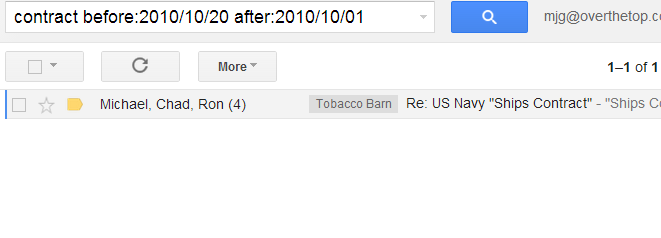
By crafting a search that includes a before and after date (as shown below), I was able
to drop the number of results (hundreds of pages) to a single result! Talk about a time
saver…
Just in case you didn’t know. What are YOUR favorite search modifier/power tips for getting the most out of your Gmail?